Guide · September 18, 2026
Pi CLI GUI: What the Pi Coding Agent Gains With a Graphical Interface
The Pi coding agent is terminal-first. See what PiLot Studio adds on top — visual sessions, one-click models, context control — and when the CLI still wins.
The Pi coding agent was designed terminal-first: you install the pi CLI, type what you want, and the agent plans, edits files, and runs commands from your shell. That is fast and scriptable — but much of what you do with an AI agent is conversational: reviewing a diff, re-asking with more context, trying another model mid-thought. Those loops feel better with a cursor, a click target, and scroll-back history. That is the gap PiLot Studio fills: a Pi CLI GUI embedded in VS Code that drives the same pi binary you already use.
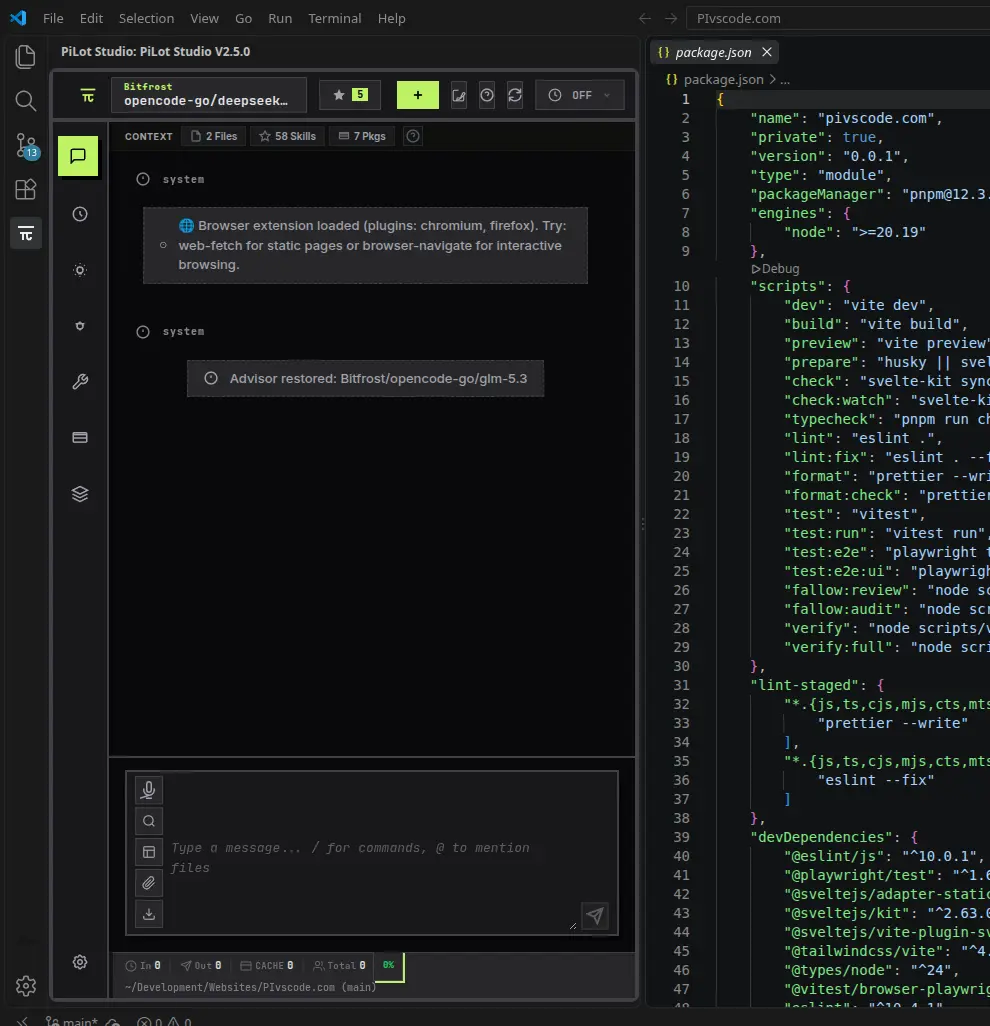
What the native pi CLI experience looks like
Out of the box, Pi lives in your terminal: you talk to it in plain commands, and it answers in text. Slash commands and @ file mentions work the same as anywhere. For developers who already live in a shell, it is efficient — once you know it. The friction shows up in the conversational loops: scrolling back through long exchanges, tracking which files are in context, or juggling sessions across projects.
What the GUI adds on top of the CLI
- Visible context. The context bar shows exactly which files and skills the agent sees — no more guessing what's in scope.
- One-click models. Cycle providers per message. Claude for architecture, a local Ollama model for boilerplate — same conversation. Thinking levels are a dropdown, not a flag.
- A real session tree. Branch, fork, rename, and revisit conversations. Search chat with
Ctrl+F, edit your last message, and export any session to Markdown or JSON. - Clickable code blocks. Apply suggested edits to the editor, preview diffs, or open files — without copy-pasting from a terminal.
- Voice input. Built-in offline dictation on a local whisper.cpp model — one-time download, then on-device transcription.
- Package management. Browse, install, disable, and remove Pi packages, skills, and prompt templates from a visual manager.
- Git integration. Draft commit messages from staged changes with one click and preview proposed diffs before applying them.
- Per-session tool control. Tool presets (default, review, none, custom) and a Light Mode toggle that strips skills, extensions, and context files for lean or local runs.
What stays from the CLI
Under the hood PiLot Studio is the pi CLI — it launches and manages the binary for you. Slash commands, @ file mentions, thinking-level control, and headless usage all behave as documented upstream. The GUI is additive, not a fork: your keys, configuration, and sessions remain pi's own.
GUI vs terminal: who should use which?
- The GUI suits you if you live in the editor and think visually, switch models or providers mid-conversation, want features to be discoverable instead of memorized, or are introducing your team to agentic coding.
- The terminal suits you if you work on headless machines over SSH, script agent runs, or already have a shell workflow you love — in those cases the CLI remains the right tool.
- In practice you'll mix both. Because the GUI drives the same binary, nothing stops you from opening a session in the panel and finishing a scripted run in the terminal.
Trade-offs to know about
PiLot Studio is a VS Code extension, so it needs an editor window — on a headless server the plain CLI is still the tool. And the GUI surfaces pi's features rather than replacing them: it does not add providers or capabilities beyond what the CLI supports. What it changes is overhead: the repetitive parts of agent work (context management, model switching, session housekeeping) become clicks instead of keystrokes.
Get set up
PiLot Studio is free and open source (Apache-2.0): install the pi CLI, add the extension, and press Ctrl+Shift+Alt+P. Want to set everything up? Follow our complete guide to using the Pi Coding Agent in VS Code. For a feature-first overview, see the Pi coding agent GUI page, and the packages & skills guide covers extension management in depth.